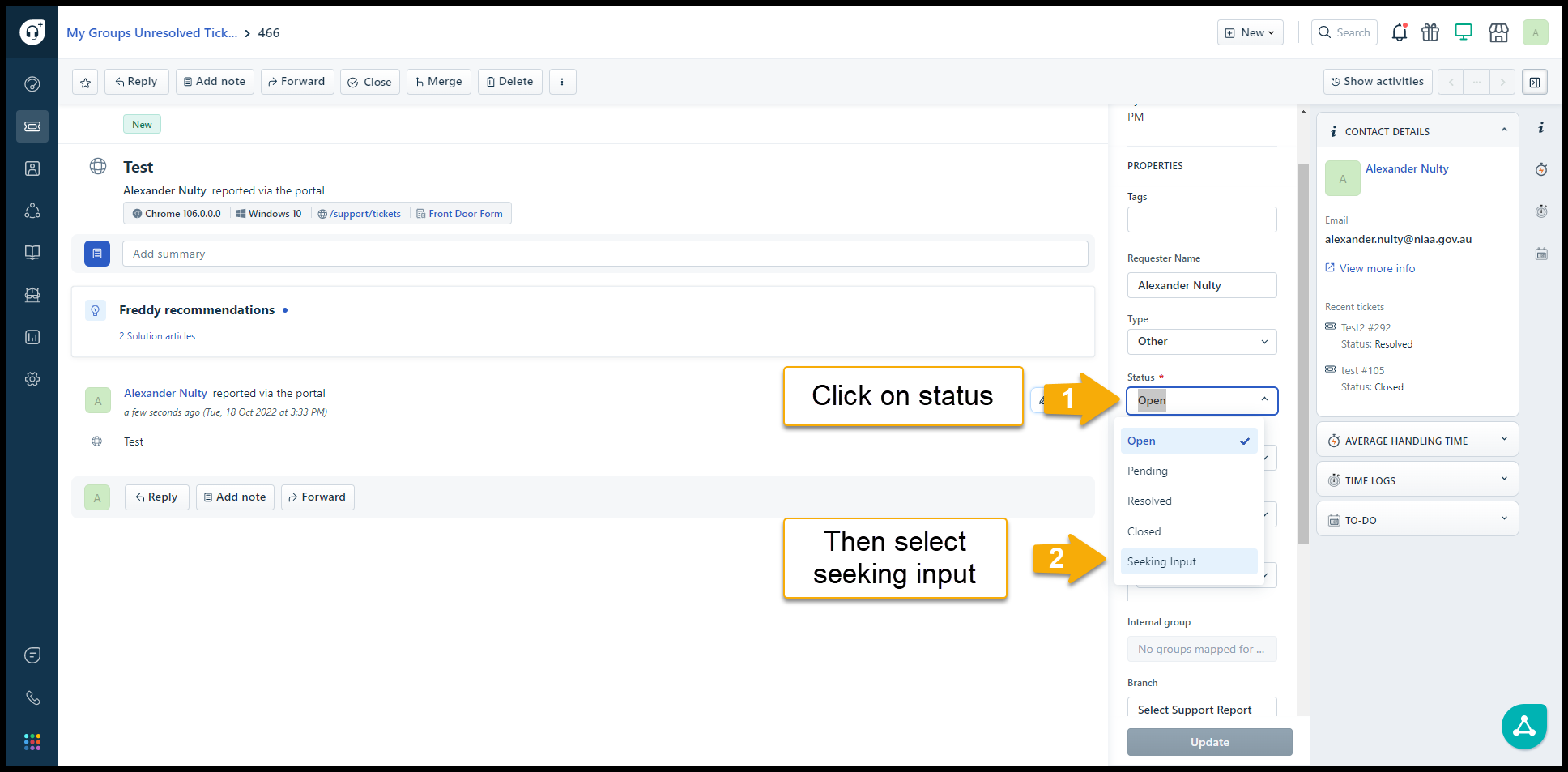
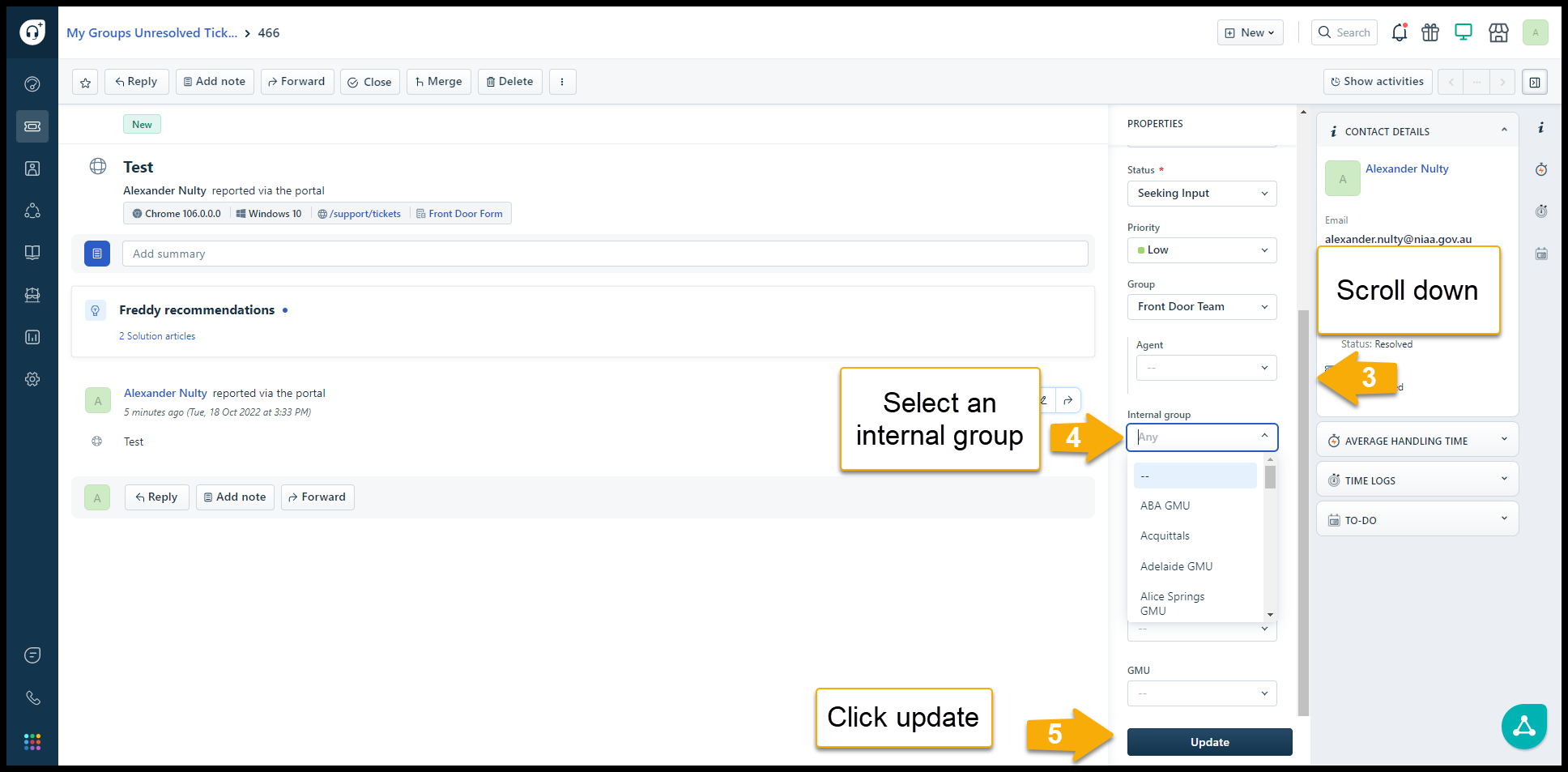
Internal Groupings are how teams within PPDG can collaborate on tickets. Once a ticket is assigned as part of an internal grouping, the job will appear in the relevant team's ticket queue. The system will automatically notify the teams group inbox. Agents included in an internal grouping will have access to add notes, respond and close the ticket.
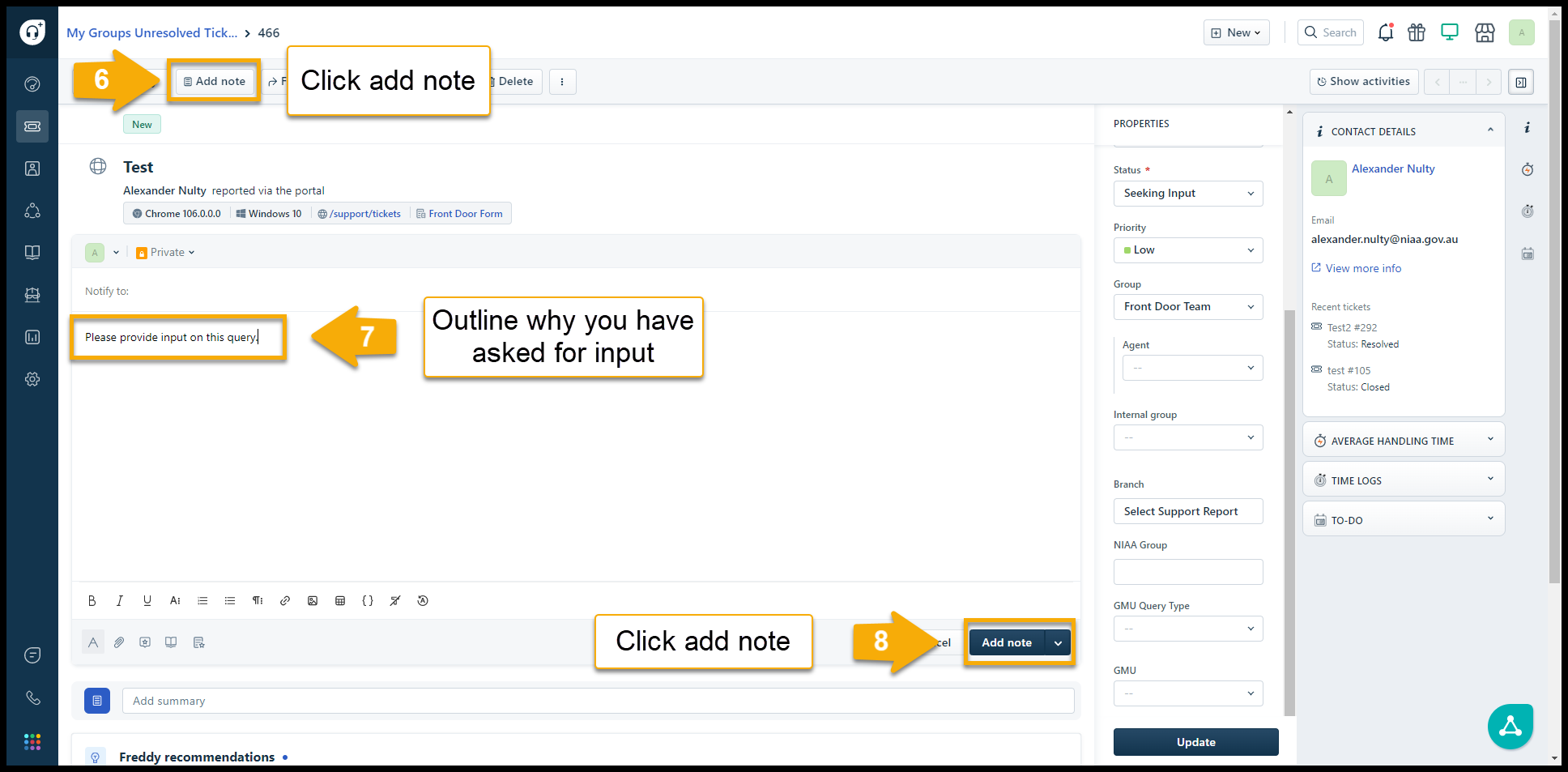
As a rule of thumb, please add a note onto the ticket detailing the touch points you wish to raise with the internal team. If you are unsure what internal group to add please select "The Front Door" and one of the support officers will assist with triaging.
Clicking on the images below will increase their size.
From the ticket properties
Was this article helpful?
That’s Great!
Thank you for your feedback
Sorry! We couldn't be helpful
Thank you for your feedback
Feedback sent
We appreciate your effort and will try to fix the article